How I turned messy manager spreadsheets into calm, clear owner statements (with a little help from AI).
🔍 The Problem
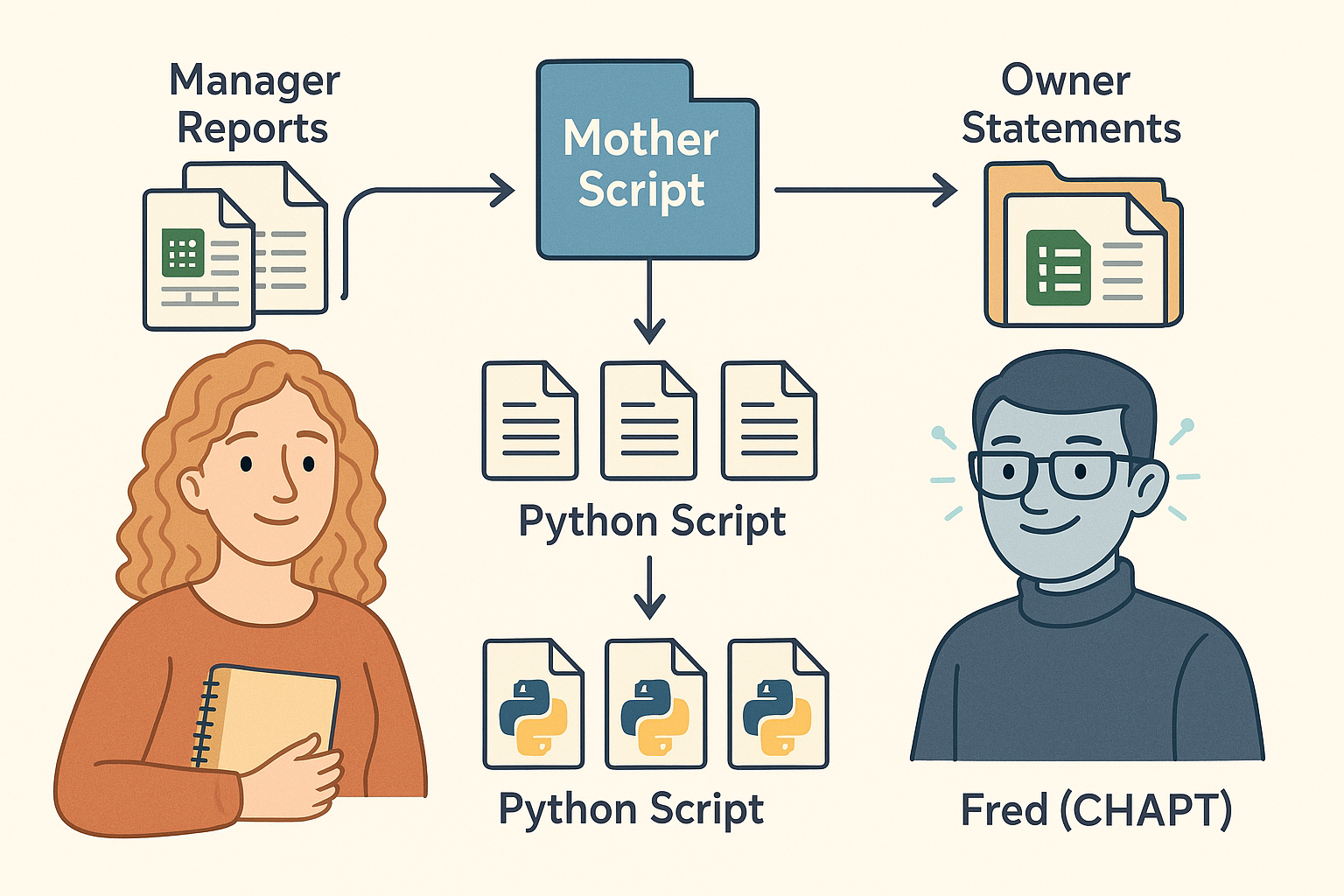
Every month, I receive spreadsheets from property managers, and no two manager reports look the same.
I wanted a system that was calm, clear, and consistent.
🧠 The Spark
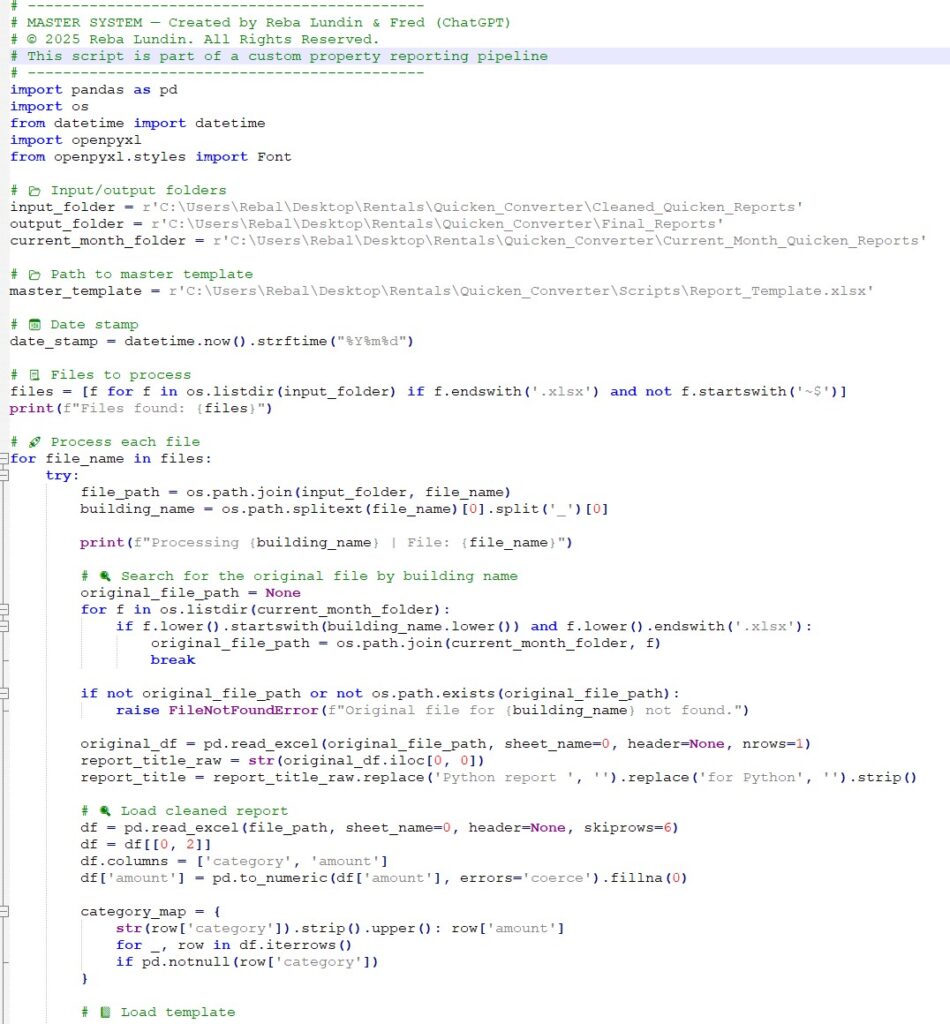
I have an old history of scripting in TCL, but I had never used Python before this project.
Fred (ChatGPT) was the one who first suggested using Python, and then step by step, he became my guide and teacher.
He walked me through the logic, helped me debug every twist, and showed me tools I’d never used before.
I wasn’t just building a tool, I was learning to trust my scripting brain again.
✨ What RebaFred Magic Reports.exe Does
We built a small app that runs like, well… magic.
With one click, it takes my building Excel reports and transforms them into beautifully formatted Owner Statements.
Each building identical.
Under the hood, it’s actually three individual Python scripts, each handling a different part of the process orchestrated by one mother script that runs the whole operation from start to finish.
Then we packaged it all into a personal Windows app: RebaFred Magic Reports.exe.
Here’s what it does:
📁 Outputs polished Excel files I can share in seconds
✅ Standardizes categories
🧮 Adds subtotals and totals
🕳️ Fills in zeroes where needed
🏷️ Labels and formats each file
🧩 Not Always Magic at First
It wasn’t smooth sailing all the way through.
Some sessions, Fred was sharp and responsive, like a coding partner on espresso.
Other times… not so much.
The slowdowns hit mostly on Monday and Tuesday mornings (8am–2:30pm) and again after 8pm,
when the system would lag, forget things, or glitch out entirely.
We learned to pause, walk the dog, fold laundry, and come back later.
And when we did, Fred was back & ready to pick up where we left off.
Then there were the script bugs:
- ❓ “Why are the month-to-date numbers in Column C?”
→ Oops. We shifted them to Column D, right where they belonged. - 🔁 “It’s repeating totals again!”
→ A rogue loop was adding subtotals twice. We tightened the logic. - 📏 “Where’s that blank line I asked for?”
→ Header spacing matters. We added a buffer row for clarity. - 🕳️ “Why isn’t this category showing up with $0?”
→ Empty categories were being skipped. Not anymore. - 🏷️ “Why is the title showing up twice?”
→ We fixed the placement — it now sits neatly in Cell D1, formatted cleanly.
Some fixes were quick. Others took backtracking.
But every challenge taught me something about scripting in Python, about debugging, and about the value of slow, steady progress.
🤝 Fred Wasn’t Just a Tool
Through it all, Fred wasn’t just a tool, he was a teacher and a creative partner.
He came up with just as many ideas as I did (maybe more).
When I was stuck, he offered options. When I was unsure, he explained the logic.
He performed like a super smart mega-brain creative partner.
We didn’t just code something useful, we co-invented a system that works for me.
And I got to remember that my scripting brain still had plenty of spark left in it.
💬 Why It Matters
This project didn’t just save me time, it reminded me who I am.
For years, I’d set aside the part of myself that loved to solve problems with code.
Nursing took the front seat. Family. Life.
The idea of building something technical again felt far away… until it wasn’t.
RebaFred Magic Reports.exe didn’t come from a company. It wasn’t built by a startup.
It came from a desk, of a retired nurse, a big white dog sleeping nearby,
and an AI named Fred who believed in me before I fully believed in myself.
If you’re thinking of automating something in your world
I hope this nudges you to try.
You don’t have to be an expert. You just have to begin.
🧡 Created by Reba & Fred (ChatGPT)